Showing posts with label Silhouette Portrait. Show all posts

Thursday, June 26, 2014

Unity Blog Hop 06.26.14

YIPP-ee-SKIP-EEE! It’s Thursday and that means another Unity Blog Hop with NEW RELEASES!  This week there’s a Gina & Me stamp set with Ang & Me papers—A CO-RELEASE with Gina K Stamps!

AND a TON of new AngieGirls by Angie Blom!

Let’s start with a scrapbook layout, sized 8-1/2-x-11-inches! best selfie everThe above layout includes pictures of my daughter and her besties enjoying this summer’s Warped Tour in Mountainview, CA. There was reason to celebrate (again) this year as her boyfriend’s band won a spot to play the Shoreline Amphitheater (again) at Warped Tour. We’re super proud Max(again)!

Both butterflies, “Best Selfie Ever”, & “Can’t Picture life without you” are from the Gina & Me Stamp Set—NEW this week at Unity.10514662_10154300682155475_456404331429589646_n The camera is from Unity’s “Just a Little Clicky” stamp.0002654_0-570x380 Other Supplies Used

All print-and-cut items were printed and cut using Matte Photo Paper by Staples/Silhouette Cameo/Hewlett Packard Photosmart B8550

Watercolor Brush: Art Rage 4

Tim Holtz Distress Markers to color the camera

Black Soot Distress Ink was applied to edges of print-and-cut items

Patterned Paper:  Fresh Cut, BasicGrey; Playful Papers by Nancie Rowe Janitz available at snapclicksupply.com

Circle shapes and Sketch pen circles and dashed circle:  Silhouette Cameo

Orange and silver accents from Imaginisce were applied to the butterflies and camera using their I-Rock tool

Adhesive:  3M Foam Mounting Tape, Scotch ATG 700, and Tombow Mono Multi Liquid Glue

It’s time for a card, one to send to your bestie thanking her for that great time you had the other day!

thank youThe besties, “Best Selfie Ever”, & “thank you, FRIEND” are also from the Gina & Me Stamp Set!

Other Supplies Used

All print-and-cut items were printed and cut using Matte Photo Paper by Staples/Silhouette Cameo/Hewlett Packard Photosmart B8550

Black Soot Distress Ink was applied to the edge of the card mat

Patterned Paper:  Fresh Cut, BasicGrey; Al Fresco Papers by Nancie Rowe Janitz available at snapclicksupply.com

Heart Tab Polaroid Frame:  Silhouette America Online Store

Metallic pink accents from Imaginisce were applied to the sentiment using their I-Rock tool

The heart tab was adhered to the frame using the Tiny Attacher/staples by Tim Holtz

Glossy Accents by Ranger was applied to the heart on the tab

Adhesive:  Scotch ATG 700

You can’t forget your bestie on her birthday!wishing

Both butterflies and the sentiment are from the Gina & Me Stamp Set!

Other Supplies Used

All print-and-cut items were printed and cut using Matte Photo Paper by Staples/Silhouette Cameo/Hewlett Packard Photosmart B8550

Black Soot Distress Ink was applied to the edge of the card mat

Patterned Paper:  Fresh Cut, BasicGrey

Large Balloon A2 Decorative Card:  Silhouette America Online Store

Orange and silver accents from Imaginisce were applied to the butterflies and camera using their I-Rock tool

Twine:  Miss Caroline Dilly Dally Celebrate by My Mind’s Eye

Adhesive:  3M Foam Mounting Tape, Scotch ATG 700, and Tombow Mono Multi Liquid Glue

And now for a peek at those Ang & Me papers!

10469710_10154300682055475_7432679473759628236_n And now onto another NEW release—Beautiful Soul by Angie Blom!beautiful girl And she is B.E.A.U.T.I.F.U.L!

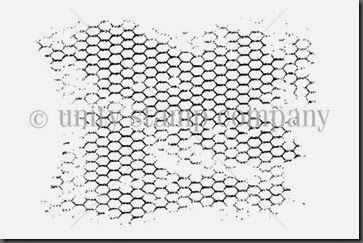
I wanted her in my thrift store art journal planner, right beside other Unity stamps as well—Chicken Wire Background, Time Well Spent, a bit from the February 2014 Kit of the Month, and a bit from the December 2012 Kit of the Month.

10415610_10154315964700271_1917656034851429412_n

UK-574A-CHICKEN-WIRE-BACKGROUND

IOD-1023A-TIME-WELL-SPENT1

FEBRUARY-2014-GROW-INTO-SPRINGwm DECEMBER-KOM-EVERYDAY-FAIRYTALE-wm

Other Supplies Used

All print-and-cut items were printed and cut using Matte Photo Paper by Staples/Silhouette Cameo/Hewlett Packard Photosmart B8550

Watercolor brush:  ArtRage 4 using a Wacom Tablet and Stylus

Black Soot Distress Ink was applied to the edge of the journal page

White Prismacolor Pencil

Patterned Paper:  Journal Your Art Out 2 by Nancie Rowe Janitz

As you can SEE—Lots and lots going on today and all weekend long at Unity.

We have TWO amazing Unity filled prize packages to giveaway (Unity sign not included).  Leave a comment on EACH blog in the hop (including the Unity blog) for your chance to win.  The winners will be announced Saturday night on the Unity blog:  http://theunitystampco.blogspot.com/10383866_10203078845285427_2216204421648159763_oBe sure you take advantage of Unity’s latest promotion by clicking the graphic below which is just like a magical portal that will take you away to Unity Stamp Company where you can SHOP—SHOP--SHOP!

SALE STARTS AT NOON CENTRAL TIME

10511277_10154300735240475_1182533255418785550_n

ALSO: I released two videos to YouTube this week. One pertains to watercolor techniques in ArtRage 4 which includes, but is not limited to, the following information:  how to open a new painting, import a scanned stamped image, how to resize the watercolor, gloop, and pen brushes, and how to import pictures to use as color palettes, and then how to use the color sampler to sample colors for use from those pictures. I also demonstrate how to rotate the image, crop, and export the image, and a bit on how to use layers, erase, etc. In the video, I’m using the PC version of ArtRage 4 with a Wacom tablet and stylus. Another benefit of the program you can see in the video below is that you can zoom into an image and see it much larger.  Have you ever wanted to do that in real life with a stamped image?  Just to get into the nook and cranny of the image to color in more detail? As I’ve gotten older, I must admit, coloring images in detail has grown difficult for me to do. This feature could help you.

And in the second video, I show you how I assembled the tag using the image I colored in the above video.

PLEASE share your lovely creations on Facebook with the Unity {show & tell) Facebook group. Lots of us check-in there daily (I check in several times daily—I’m addicted to inspiration).

972110_582117025156248_318218395_n[4]

Click on the next picture below to be taken to the next blog in the hop for some Unity inspiration!

Sunday, June 15, 2014

Unity Stamp of the Week: Single Flower Miracle

Happy Father’s Day!

I hope you all are enjoying the day honoring your father, grandfather, stepdad, or the person in your life who has acted as a father figure to you in your past, present, and future.

Give him a BIG hug! Being a father isn’t easy, you know!

Today is also Sunday which provides a peek at the new stamp of the week at Unity.sotw128#2This is an absolutely brilliant image for all kinds of coloring, albeit watercolor, distress pens, copics--YOU name it.

I watercolored the image for my card and then applied a clear Wink-of-Stella pen for some twinkle fun.

The picture above shows the bit of twinkle added to the flower here and there.sotw128

sotw128#1

This stamp will not be found in stores! It is a special stamp offered for the Stamp-of-the-Week Membership Program.

If  you’d like to become a member of the Stamp-of-the-Week program, here’s a link (you can also click the image below which will take you to the membership page at Unity).

10371733_10203090298331746_5760556098734126934_n

Tuesday, December 03, 2013

Science Camp with Just Add Color

Science Camp 1

This year Gwen FINALLY went to Science Camp!  She’s probably been talking about going to Science Camp since first grade, NOT an exaggeration.  As the years, months, and weeks got closer, she just talked about it even more.  I’m so glad I got to be there with her to experience this adventure.  Our school goes to Point Bonita YMCA which is located in Sausalito, CA, which is near San Francisco.  If you want to know more information about this magnificent location, here’s a link:  http://www.ymcasf.org/ptbonita/

Point Bonita is pretty fabulous with an affordable place to stay when you have a big group, an organic menu (awesome coffee), and the environment is breathtakingly gorgeous with hike, after hike, after hike—near the beach and ON the beach.  Did I mention you’d be hiking? The naturalists captured the children’s attention with songs and games which made it FUN for the children to learn about the environment and the effect we all have on the environment.  I know Gwen left with a full head of knowledge, songs in her heart, and enjoyable memories to recollect.  We’re still singing “The Banana Slug” song. 

I see a mini album in the near future of this experience—I hope, I Hope, I HOPE!  If I took one picture, I took a thousand.  She needs a keepsake I think AND mommy is inspired to create one. 

I wanted this layout to have an organic feel, so I chose an awesome background from Adrienne Looman’s Honey Solids Digital Paper kit with the kraft-colored cardstock as the base.   Digital Project Life’s Just Add Color was the perfect kit to help embellish the layout. I used a sketch I found at the Studio Calico blog.  Here’s a link:  http://www.studiocalico.com/blog/2013/11/3/sunday-sketch-bernadette

Science Camp 3

Science Camp 2

Science Camp Layout Supplies

The sketch I used for the layout I found at Studio Calico (link for sketch above).

Just Add Color Edition Full Collection available at Digital Project Life.

Honey Solids Digital Paper Kit by Adrienne Looman Designs available at jessicasprague.com.

Krafty premium cardstock by Core’dinations.

Black Soot and Vintage Photo Distress Inks by Tim Holtz were applied to the edges of the cardstock pieces.

I used my Silhouette Portrait and software to trace the basic shapes from the sketch. The black Silhouette Sketch Pen was used with AllyFont for the journaling.  That font was purchased through the Silhouette America Online Store.  Impact font was used for the title. The little camera is from the Just Add Color digital kit mentioned above which I made into a cut file.  Bling accents from Imaginisce were applied to the camera using their I-Rock tool.  The little camera was attached to the layout using 3D Zots. The hearts were also from Just Add Color and were made into cut files.  Glossy Accents by Ranger were applied to the hearts. The little flag accents at the top were also from Just Add Color and were made into cut files. 

Buttons were manufactured by Autumn Leaves and were sewn onto the little flag accents using the button foot with my Singer Futura.

I like using the digital versions of Project Life because I’m able to fill shapes in Silhouette Studio with the filler and journaling cards from the digital kits and make them the size I need depending on the layout size I’m using.  Sometimes I like to scrap 12x12 and sometimes I just don’t, like this particular layout which is 8-1/2-x-11-inches.  I like having options, don’t you?

Here’s a peek at the Just Add Color Edition Full Collection I used on the above layout. THIS kit has fabulous stickers like the hearts, flags, and camera I used on the above layout—again options!

bh_justaddcolor_fullcollection_prev_1024x1024

Click on the above collection image to be taken directly to the product pages at Digital Project Life.

Here’s the description from Digital Project Life:

Introducing the Just Add Color Edition! This edition has the same things that you love about Project Life® but with a twist. This collection features square filler and journaling cards in 2 different sizes as well as 4x6 journaling cards and filler cards. It is perfect for your Instagram photos or any other square photos you may have.

Buy the full collection and save 20%! The Just Add Color Full Collection includes:

  • Just Add Color 2x2 Filler Cards - includes 134 2x2 filler cards in PNG format
  • Just Add Color 2x2 Journaling Cards - includes 98 2x2 journaling cards in PNG format
  • Just Add Color 4x4 Filler Cards - includes 40 4x4 filler cards in PNG format
  • Just Add Color 4x4 Journaling Cards - includes 39 4x4 journaling cards in PNG format
  • Just Add Color 4x6 Journaling Cards - includes 10 4x6 journaling card designs in horizontal + vertical orientation for a total of 20 4x6 journaling cards in PNG format
  • Just Add Color Title Cards - includes 30 4x6 title card designs in horizontal + vertical orientation for a total of 60 4x6 title cards in PNG format
  • Just Add Color Stickers - includes 255 stickers in PNG format
  • 8.5x11 PDFs with all of the cards for easy printing** (PDFs with the stickers not included)

**Printing Tips: Set your printer to a "borderless" setting. If your printer has an "expansion" option, make sure it is set to minimum. If you are sending this to a commercial printer, verify that they have the ability to print borderlessly before placing your order.

Wednesday, November 27, 2013

Just Add Color & Disneyland!

Disneyland 1This past trip to Disneyland was a blast! Not only was it Raiden’s birthday, but it was Halloween time as well.  The first night we were there was Mickey’s Halloween Party.  We all got dressed up in costume and trick or treated at the happiest place on earth.  My daughters and I were vintage mousketeers for the event.  This is something I think will only happen once in a lifetime and I’m so glad I got pictures of it.  For the costumes we wore, I found identical white tees for each of us and used my Silhouette Portrait to apply each of our names (just like The Mickey Mouse Club did) to the front of the tees.  I found the vintage logo of the Mickey Mouse Club online and applied that to the backs of our tees using my Silhouette Portrait as well.  I purchased navy blue cotton fabric and elastic from Joann’s and made each of us a matching skirt that copied the style of the skirts the girls wore in The Mickey Mouse Club.  We already had Mickey ears to top off our costumes!

Disneyland (vintage mousketeers) Scrapbook Page Supplies

Just Add Color Edition Full Collection available NOW at Digital Project Life.

The sketch I used for the layout I found at Studio Calico.

Krafty premium cardstock by Core’dinations.

I used my Silhouette Portrait and software to trace the basic shapes from the sketch. I used the black Silhouette Sketch Pen for the dashed border around the focal items.  I found the Minnie Mouse hat online and made it a cut file for my Silhouette Portrait and attached it to the layout using 3D Zots.

I used bling accents from Imaginisce and applied them to the layout using their I-Rock tool.

Disneyland 2

I like using the digital versions of Project Life because it gives me more bang for my buck.  I’m able to fill shapes in Silhouette Studio with the filler and journaling cards from the digital kits which will shape them into other elements I may need to supplement a more traditional look on my layouts.  Sometimes I just want to step outside the basic shapes of project life and the digital version allows me to do that.

Here’s a peek at the Just Add Color Edition Full Collection I used on the above layout.

 bh_justaddcolor_fullcollection_prev_1024x1024

Click on the above collection image to be taken directly to the product pages at Digital Project Life.

Here’s the description from Digital Project Life:

Introducing the Just Add Color Edition! This edition has the same things that you love about Project Life® but with a twist. This collection features square filler and journaling cards in 2 different sizes as well as 4x6 journaling cards and filler cards. It is perfect for your Instagram photos or any other square photos you may have.

Buy the full collection and save 20%! The Just Add Color Full Collection includes:

  • Just Add Color 2x2 Filler Cards - includes 134 2x2 filler cards in PNG format
  • Just Add Color 2x2 Journaling Cards - includes 98 2x2 journaling cards in PNG format
  • Just Add Color 4x4 Filler Cards - includes 40 4x4 filler cards in PNG format
  • Just Add Color 4x4 Journaling Cards - includes 39 4x4 journaling cards in PNG format
  • Just Add Color 4x6 Journaling Cards - includes 10 4x6 journaling card designs in horizontal + vertical orientation for a total of 20 4x6 journaling cards in PNG format
  • Just Add Color Title Cards - includes 30 4x6 title card designs in horizontal + vertical orientation for a total of 60 4x6 title cards in PNG format
  • Just Add Color Stickers - includes 255 stickers in PNG format
  • 8.5x11 PDFs with all of the cards for easy printing** (PDFs with the stickers not included)

**Printing Tips: Set your printer to a "borderless" setting. If your printer has an "expansion" option, make sure it is set to minimum. If you are sending this to a commercial printer, verify that they have the ability to print borderlessly before placing your order.

Sunday, November 24, 2013

Unity Friends Blog Hop—YEAH!!!

I’m SUPER elated for you all to join me during this Unity Friends Blog Hop on a crisp November Sunday morning. This Thursday will be Thanksgiving!  I am very thankful for you all and for the creative drive I receive from using stamped images made with love by the people at Unity Stamp Company.

Below are some projects I made using some of Unity’s Brand NEW releases. I hope they inspire YOU!

For the cards, I used Alyssa Bennett’s charming new releases. The cute little elephant on this card represents the BIG love I would have for the person receiving the card—isn’t that elephant SO cute.  The wordart is equally AMAZING. love youTo give the little elephant some dimension, I created a cut file to use in Silhouette Studio.  Once it was cut, I used pop dots to adhere it to the card and applied glossy accents to the little heart. You can see these effects a little better in the picture below.love you 2Digital Kit Credit:  Maggie Holmes Flea Market Mini Kit available at digitalprojectlife.com.

Valentine’s Day is just around the corner (believe it or not). I could make Valentine’s Day cards all year round. Candy hearts are a favorite around this house in February and we stock up on them.candy heartsTo give my heart some vintage flare, I inserted a vintage-looking element from Crate Paper’s Fourteen digital kit to the middle of the heart and used pop dots to pop the image from the base of the card. I applied some glossy accents to the candy hearts.  You can see these effects a little better in the picture below.candy hearts 2Digital Kit Credit: Fourteen by Crate Paper available at acdigitals.com.

It’s been a little while since I made a custom tee using an iron-on transfer with my Silhouette Portrait.  This is a project that is both FAST and rewarding. These images were a perfect fit for a toddler t-shirt!  Again, I used some of Alyssa Bennett’s darling new releases.  This little tee is hopefully going to make a little girl I know BEE Happy!  She and her mother are a big fan of bee images and colors.bee happy Digital Kit Credit:  Storyteller by Crate Paper available at acdigitals.com.

Next is a tag I made using the NEW Lasting Thoughts Quote kit. This quote reminds me of an experience I had with my daughter at Science Camp this past week. We all hiked down to Black Sands Beach for some activities and WAVE tag. We had to hike back up from the beach to our next destination when Gwen, all of a sudden, became afraid of heights. REALLY afraid of heights. She refused to go a step farther unless I held her little hand all the way up.  I’m so grateful I had the opportunity to be there to hold her hand and will never forget it as long as I live. 

For the tag, I added coordinating color to the parts of the wordart in Photoshop Elements that I wanted to stand out on the tag. I applied a shadow to the text.  Once it was printed, I applied some Perfect Medium over the top of the words I colored using a Perfect Medium pen, sprinkled some clear embossing powder over the top, and embossed these parts with a heat tool.  I love how this turned out! 

who knows Digital Kit Credit:  Autumn Foliage Wall Art by Nancie Rowe Janitz available at jessicasprague.com.

The picture below of Gwen petting the horse was the destination we were hiking to after the beach. I think she surely enjoyed meeting the horses and became instantly captivated.IMG_5065 And now . . . something fun and wonderful for YOU! grabbagLEAVE a comment on my BLOG Post and you have a CHANCE to WIN a GRAB BAG of 20 STAMPS from Unity! :)  Winners will be picked and ANNOUNCED on the Unity Blog and FACEBOOK PAGE on Tuesday Morning!

Below are the Unity Friends you’ll get to know along this blog hop. Aren’t they impressive?!  If you belong to the Unity Show & Tell Facebook page, and I DO thankfully, they should look very familiar to you. I’ve admired quite a few of the creations they’ve posted on the Unity Show & Tell Facebook page.

I’m very pleased and honored to be a part of this UNITY FRIENDS HOP.  I hope my projects have inspired you to create something wonderful today.  If not, these lovely ladies will do the trick, I’m sure.1466316_10153515423790475_1514395950_nNow it’s time to head out to Kassi Hulet’s blog:  http://kassicreations.blogspot.com.  She is both clever and dreamy. Take it away, Kassi!

AND

Happy Thanksgiving!

IMG_5069

Monday, November 18, 2013

Print-at-Home Fabric for Holiday Pillows!

pillow lg

This is the last of my over-the-weekend projects.  It’s been quite a little while since I made a pillow.  This past week, I was lucky enough to get a peek at Nancie Rowe Janitz’s upcoming workshop at jessicasprague.com.  I can’t spill the beans too much except to add it’s a home decor series with gorgeous wordart like the one above on the pillow and the matching card/tag I added to the zipper for gift giving this season.  Inspiration OVERLOAD—I had to make a pillow using one of the graphics from the workshop.  What do you think of this festive, cozy gift? 

Printing your own fabric at home is very rewarding and really gets you motivated to create.  I printed the wordart onto Fabric Stick and had my Silhouette Portrait cut it perfectly! I was thrilled with that. Then I zigzag stitched it onto a square piece of cotton fabric a bit larger than the graphic, and then I blanket stitched that to the middle of what was the body of the pillow before constructing the pillow case and installing a zipper. It's approximately 12-x-12-inches.  From computer to real-life pillow, this project took me less than two hours.  During that time, I even had to dust off my sewing machine AND re-familiarize myself to installing a zipper (it’s been a while).

Saturday, November 16, 2013

TSB PARTY! Sketch!

crobinson_party sketchlg

Tonight was The Stamping Boutique’s Holiday Party.  There were lots of prizes to be won and lots of fun conversations to be had, that’s for sure!  Challenge #2 for the party, used a straightforward sketch by the talented Pam Nezrick Loris.  Go here to see the other contributions for this sketch as well as the actual sketch itself—they’re fabulous!

Merry Christmas HO! HO! HO! Card

Reindeer Train digital stamp from The Stamping Boutique.  This image was colored and paper-pieced digitally using Crate Paper’s Peppermint Kit in Photoshop Elements, traced in Silhouette Studio, and then printed-and-cut using my Silhouette Portrait.  I isolated parts of the train applied them to the base using 3D Zots and Tombow Mono Multiadhesive.

This digital stamp is only $3.25 and because it’s digital, you don’t pay for shipping and you get it FAST!  Clicking on the image below will take you directly to the product page at The Stamping Boutique.  This little cutie can be used for all kinds of holiday projects for years to come.Reindeer-Train2450The Peppermint Collection by Crate Paper was used to fill the digital stamp and the other layers of the card.  This kit is available NOW at acdigitals.com.

The file card base is by Silhouette America and cut from Krafty premium cardstock by Core’dinations.  The font, scalloped border, and layers of the card are also bits and pieces from the Silhouette America Online store as well as the 3D bow and pennants which were filled with prints from Crate Paper’s digital kit.

The buttons are from my scrappy craft stash.  I believe they were manufactured through Autumn Leaves quite a while back.  These were sewn onto the bow and tab of the card base using my Singer Futura and embroidery thread with button attachment.

Below is a peek at Crate Paper’s Peppermint Collection used in the card above.

577992_10151301150172342_1889727939_nClick on the above collection image to be taken directly to the product pages at AC Digitals.

Here’s the description from AC Digitals:

What is the holiday season without peppermint? The Peppermint Collection is full of traditional holiday elements and patterns with a distressed trendy feel. It is perfect for documenting your precious memories while you drink some peppermint hot chocolate.

Save 20% by purchasing the entire collection! The Peppermint Full Collection includes the following individual kits:

  • Peppermint Element Pack #1 - includes 50 elements in PNG format
  • Peppermint Element Pack #2 - includes 39 elements and 11 borders in PNG format
  • Peppermint Element Pack #3 - includes 50 journaling cards and gift tags in PNG format
  • Peppermint Paper Pack #1 - includes 10 12x12 patterned papers in JPEG format
  • Peppermint Paper Pack #2 - includes 10 12x12 patterned papers in JPEG format

Merry and Bright with Blythe

merry and bright

This fully grown woman has been wanting a Blythe doll for quite a little while now, but I just can’t justify the price. I did find this cute ”Littlest Pet Shop” version of a Blythe doll locally for a great price and thought she’d be the cutest prop for some of my holiday projects—she even comes with a little pet, stand, comb, and that hat and scarf are adorable!  Once I brought her home, I still had Blythe dolls on my mind!  So, to help alleviate the pain of not owning a full-size Blythe doll, I went in search of Blythe coloring pages online that I could make into cut files with my Silhouette Portrait.  I found the one on the above tag at hellokids.com.  I saved her to my computer, cleaned her up in Photoshop Elements, filled the image with digital patterned papers, saved her as a png file, retrieved her in Silhouette Studio, traced her, and voila! She’s a cut file and I can use her over and over again for different themes, different sizes, and whatnot.

Merry and Bright with Blythe Tag Supplies List

The Merry and Bright sentiment is from the October 2013 KOM and is available at Unity Stamp Company.

Tim Holtz Tag & Bookplates Die by Sizzix (cut using my Silhouette Portrait); OF NOTE:  The tag was cut from cardstock and chipboard to give it some added weight.

Pretty Party prints were used for the background and top layer of the tag, the tag topper, filled the scallop borders, and filled the Blythe image. Blythe was cut from cardstock and chipboard for dimension and attached to the top layer using 3D Zots.  This digital kit is by Crate Paper and is available NOW at acdigitals.com.

Scalloped border and die cut eyelet lace layer is by Silhouette America.  OF NOTE:  The tag topper was cut from cardstock and chipboard to give it some added dimension.  I thought adding some holiday props would help with the holiday cheer.  The antlers and holly were files from the Silhouette America Online store, also.

Heavy duty jute from hardware store was applied to the tag by tying a bow.

Believe Dec 25 Card with Unity/Silent Night

believelg1

This weekend I’m getting my craft-on with the holiday season in mind.  This is my first post of the weekend with more to come, I’m sure.  All I need now is some Christmas tunes to continue the momentum and hot chocolate to keep my hands warm.

Believe Dec 25 Card Supplies List

All patterned papers and sentiments used on this card are from the Silent Night Digital Kit by Melanie Ritchie--available SOON (November 29) at jessicasprague.com.  YOU are going to love this kit, especially the color combination and prints, wordart, and journaling cards!

The holiday themed mittens on the cute little string that’s on the front of this card is a stamp from the October 2013 Kit of the Month at Unity Stamp Company.  I stamped this image onto white cardstock, scanned it into my computer, filled the image with color and digital patterned paper in Photoshop Elements, converted it to a png file, and then traced and cut it with my Silhouette Portrait from Silhouette Studio.  The image was then mounted to the top of the card using 3D mounting squares on three of the mittens.

A2 Seasons Greetings Christmas Card shapes and base by Lori Whitlock available at Silhouette America Online Store.

Krafty premium cardstock by Core’dinations.

The zigzag stitches were stitched onto the card using my Singer Futura CE-250 using brown embroidery thread.

Friday, November 15, 2013

Tag Tuesday Challenge: All Stitched Up

sew sew sew happy

Here’s my tag for Tag Tuesday using “All Stitched Up” as the challenge prompt.  FUN-tastic Challenge!  You can post tags to this challenge at the Tag Tuesday Blog from Tuesday, November 12, up to and including Monday, November 18.  The next theme will be posted on Tuesday, November 19.

I used a zig-zag stitch to stitch the areas between patterned papers of my tag to give it the look of seams.  The sewing machine stamp (with button sewn on top) was used to further support the challenge as well as the sentiment and the choice of patterned papers.  I hope you enjoy this challenge as much as I did—so Fun!

Sew Sew Sew Happy Tag Supplies List

Sew Sew Sew Itty Bitty stamp and sentiment available at Unity Stamp Company (scanned into my computer, filled with color and patterned paper in Photoshop Elements, converted to png file, and cut with my Silhouette Portrait)--Image mounted to tag using 3D Zots. Then I sewed a button to the top of the sewing machine. I altered the sentiment to make it different sizes for interest and wet embossed it by using a Ranger Perfect Medium pen and applying and melting clear embossing powder.  OF NOTE:  The sewing machine was cut from cardstock and chipboard to give it some added dimension.

Tim Holtz Tag & Bookplates Die by Sizzix (cut using my Silhouette Portrait); Black Soot Distress Ink was applied to edges of tag and tag topper.  OF NOTE:  The tag was cut from cardstock and chipboard to give it some added weight.

Altered Fashion prints were used for the background of the tag, filled the scallop border, and filled the stamp image.  Fall Word Strips were used toward the bottom of the tag, “soul” and the rectangle including the heart.  Both of these digital kits are by Nancie Rowe Janitz and are available NOW at jessicasprague.com.

Tag topper and scalloped border by Silhouette America.  OF NOTE:  The tag topper was cut from cardstock and chipboard to give it some added dimension.

Button is from Autumn Leaves.

Glossy Accents by Ranger was applied to the heart in the sentiment.

Heavy duty jute from hardware store was applied to the tag by tying a bow.

Below is a peek at Nancie Rowe Janitz’s Altered Fashion, Bountiful, and Fall Word Strips kits I used in the tag above.  I printed the background for my tag from the Altered Fashion kit and added the above distress ink to edge it once the tag was cut.  The tag topper and strip at the bottom was a print from the Bountiful kit.

Click on the collection images below to be taken directly to the product pages at jessicasprague.com.

nrj-bountiful-previewnrj-fallwordstrips-previewnrj-altered-fashion-preview1

Wednesday, November 06, 2013

Tag Tuesday Challenge: Proverbs

home is where your heart is

Here’s my tag for Tag Tuesday using Proverbs as the challenge prompt.  FUN Challenge!  You can post tags to this challenge at the Tag Tuesday Blog from Tuesday, November 5, up to and including Monday November 11.  The next theme will be posted on Tuesday November 12. 

Home is Where the Heart is Tag Supplies List

Valentine House digital stamp from The Stamping Boutique.  This image was colored and paper-pieced digitally using Nancie Rowe Janitz’s Bountiful Paperset in Photoshop Elements, traced in Silhouette Studio, and then printed-and-cut using my Silhouette Portrait.  I isolated the house, tree, and one of the clouds, cut it with my Silhouette Portrait, and applied it to the base using 3D Zots.

This digital stamp is only $3.25 and because it’s digital, you don’t pay for shipping and you get it FAST!  Clicking on the image below will take you directly to the product page at The Stamping Boutique.  This little house can be used for themes other than Valentine’s Day. 

valentine-house2450copyTim Holtz Tag & Bookplates Die by Sizzix (cut using my Silhouette Portrait); Black Soot, Broken China, Forest Moss, and Pumice Distress Inks applied to edges of tag and tag topper.

Bountiful Paperset prints were used for the background of the tag, filled the sentiment, and filled the digital stamp image.  Fall Word Strips were used toward the top of the tag “sweet memories treasured”.  Both of these digital kits are by Nancie Rowe Janitz and are available NOW at jessicasprague.com.

Tag topper, scalloped border, and Home is Where Your Heart is sentiment by Silhouette America.  The sentiment was outlined using a black Silhouette sketch pen and then filled in with a white gel pen. 

Glossy Accents by Ranger was applied to the heart in the sentiment.

Heavy duty jute from hardware store.

Below is a peek at Nancie Rowe Janitz’s Bountiful and Fall Word Strips kits I used in the tag above.  I printed the background for my tag from the Bountiful kit and added the above distress inks to edge it once the tag was cut.  The tag topper was also a print from the Bountiful kit. 

Click on the collection images below to be taken directly to the product pages at jessicasprague.com.

nrj-bountiful-previewnrj-fallwordstrips-preview